The Lab Behind Arshad Lab
Every IT professional needs a playground. A place where you can test ideas, break things safely, troubleshoot problems, and learn without fear.
One of the biggest challenges in IT is finding a safe place to experiment.
In the real world, we work with production systems where mistakes can have serious consequences. You cannot simply test a new Active Directory configuration, break a Conditional Access policy, or experiment with security settings on a live environment.
That is where a personal lab becomes extremely valuable.
For many years, I wanted to build my own IT training lab—a place where I could experiment, learn, break things, fix things, and document the journey.
With Arshad Lab, I am finally turning that idea into reality.
Why Build a Personal IT Lab?
Throughout my IT career, I have worked with many enterprise technologies:
- Active Directory
- Windows Server
- Microsoft 365
- Azure
- Intune
- Security solutions
- Backup platforms
- Virtualization technologies
However, one thing I have always believed is:
Reading documentation teaches you what something does. Building it teaches you how it works.
A personal lab allows me to move beyond theory and create real scenarios similar to what we see in enterprise environments.
The Goal of This Lab
The purpose of this lab is not just to install software and collect virtual machines.
The goal is to simulate a small enterprise environment.
Some of the planned components include:
Identity & Infrastructure
- Windows Server Domain Controllers
- Active Directory Domain Services
- DNS
- DHCP
- Group Policy
- File Services
- User and computer management
Microsoft Cloud Integration
- Microsoft 365 test tenant
- Microsoft Entra ID
- Hybrid Identity
- Device Management with Intune
- Conditional Access testing
Security Testing
- Identity security scenarios
- Authentication methods
- Security policies
- Monitoring and auditing
Automation
- PowerShell scripting
- Microsoft Graph API
- Administration automation
- Reporting
From Student Labs to Professional Learning
Looking back, this idea actually started many years ago.
During my school days, I was involved in developing our school website team. Even then, I enjoyed creating something, experimenting with technology, and sharing knowledge.
Over time, my career moved from IT support into enterprise operations and technical leadership.
Now, this lab represents the next stage of that journey.
It is not just a technical playground.
It is a place where I can continue learning and eventually create practical learning content for others.
The Reality of Building a Lab
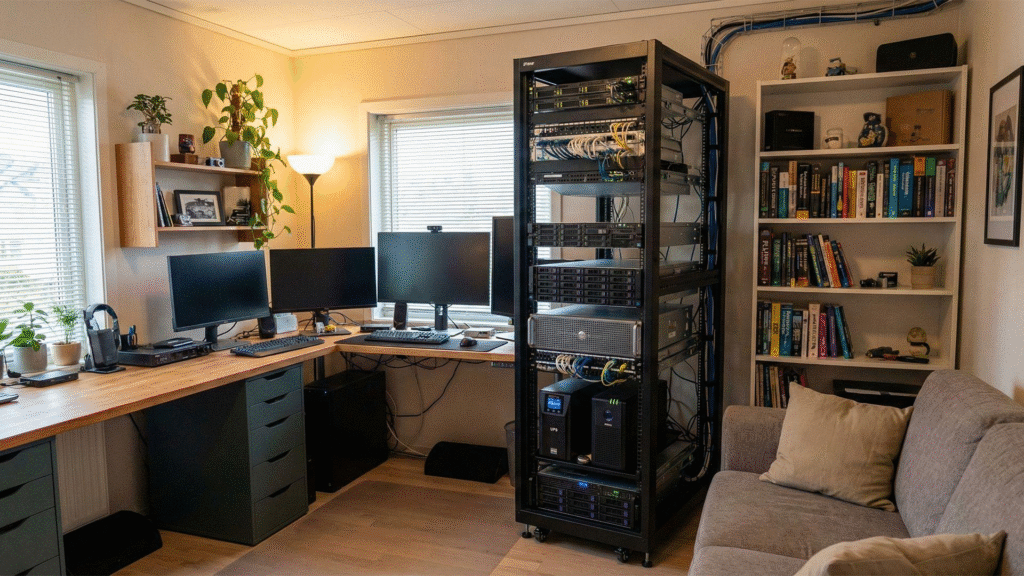
When you see professional-looking home labs online with server racks, multiple monitors, enterprise hardware, and dedicated equipment, it can be inspiring.
However, I have to be realistic.
While I would love to have a setup like that one day, it is probably still a long way from being achievable for me in Sri Lanka. 😄
For now, Arshad Lab is built using what I have available:
- A laptop
- An old spare desktop (which honestly feels like it has been restarted, rebuilt, and almost broken a thousand times 😅)
- VMware Workstation Pro for virtualization
A big thank you to Broadcom for making VMware Workstation Pro available free for personal use, which makes experimenting and building environments much more accessible.
The goal of this lab has never been about having the most expensive hardware.
The goal is to learn, experiment, troubleshoot, and build practical experience.
At the end of the day, the best lab is the one you actually use.
What’s Next?
This lab will continue to evolve.
Future posts will cover individual components in detail, including:
- Building an Active Directory environment
- Configuring DNS and DHCP properly
- Creating hybrid identity scenarios
- Testing Microsoft 365 security features
- Automating administration tasks
This is the beginning of my journey to build, document, and share.
Welcome to Arshad Lab.
Let’s build something awesome.